
 See My Latest Article on HelloNation
What does CAD software do in metal stamping?
CAD, or computer-aided design, allows engineers to create precise digital models of stamped metal parts before tooling or production begins. In modern metal stamping, CAD helps define the part’s dimensions, material thickness, bends, holes, forming areas, and relationship to the larger assembly.
A CAD model is more than a drawing. It can contain three-dimensional geometry, manufacturing notes, tolerances, and data used to develop stamping dies. This gives designers, toolmakers, and production teams a shared technical reference.
For residents and manufacturers in Rochester, NY, the practical benefit is that many design decisions can be evaluated digitally before metal is cut. That can reduce avoidable changes during tooling, which is especially useful for parts used in equipment, transportation systems, electronics, appliances, and building components.
How does CAD improve the design of stamped parts?
CAD helps designers identify whether a part can be formed reliably from sheet metal. A shape that looks simple on paper may create problems once the material is bent, drawn, pierced, or stretched.
Digital design tools can help evaluate:
- Bend locations and bend radii
- Hole sizes and spacing
- Material thickness
- Clearances between features
- Flat patterns before forming
- Areas that may wrinkle, crack, or distort
- Tolerances required for assembly
- The amount of material needed for the finished part
A designer can also compare several versions of a part without producing a physical sample for each revision. For example, moving a hole farther from a bend may improve strength and reduce distortion. Widening a flange may make the part easier to form and more stable during assembly.
These changes are easier and less expensive to study while the design is still digital.
Can CAD predict whether a part will stamp correctly?
CAD can reveal many risks, but it cannot guarantee successful production by itself. The result depends on the material, press, tooling, lubrication, forming sequence, and production requirements.
Many modern CAD systems work alongside simulation software. These tools can estimate how sheet metal will behave as it passes through forming operations. A simulation may identify excessive thinning, stretching, springback, or areas likely to develop wrinkles.
Springback is a common issue in stamping. After a bend is formed, the metal may partially return toward its original shape. Engineers can use digital analysis to adjust bend angles or tooling geometry before a die is manufactured.
Simulation is particularly helpful for parts with deep draws, multiple bends, unusual contours, or tight dimensional requirements. It is less useful when treated as an exact substitute for physical testing. Real-world results may still vary because of material batches, press conditions, tool wear, and changes in production speed.
How is CAD connected to stamping dies and tooling?
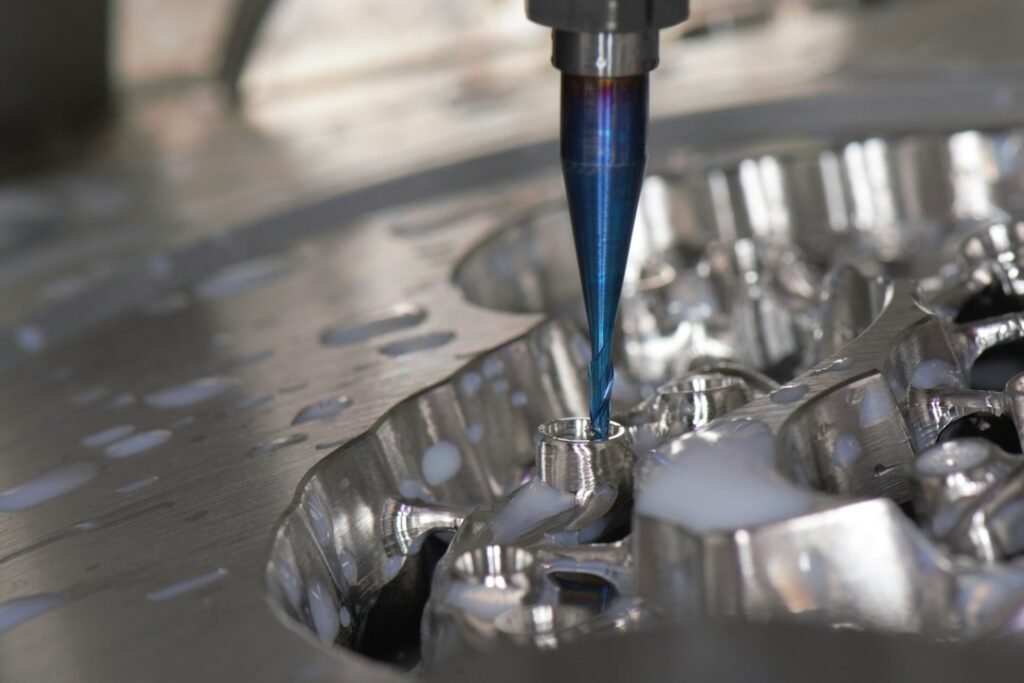
The die is the specialized tooling that guides and forms the sheet metal. CAD software helps define the die’s working surfaces, cutting edges, guide features, inserts, and clearances.
A typical workflow may include:
- Creating the finished part model
- Developing the flat blank or starting shape
- Planning the forming and cutting operations
- Designing the die components
- Checking clearances and interference
- Transferring geometry to computer-aided manufacturing systems
- Producing toolpaths for machining
- Inspecting the completed tooling against the digital model
This connection between design and manufacturing is often called CAD/CAM integration. It reduces the need to recreate measurements manually as information moves from engineering to machining.
A digital model can also preserve revision history. If a hole, flange, or thickness changes, the effect on related tooling can be reviewed more systematically than it could with disconnected paper drawings.
Why do tolerances matter so much?
A tolerance defines how much a dimension may vary while the part remains acceptable. CAD software allows tolerances to be assigned to individual features and helps show how those features relate to one another.
Not every dimension needs the same level of precision. A mounting hole may require close positional control, while an exterior edge may allow more variation. Applying extremely tight tolerances everywhere can increase tooling complexity, inspection time, and production cost without improving the function of the part.
A well-developed CAD model supports practical tolerance decisions. It can help engineers distinguish between:
- Dimensions that affect safety
- Features that control fit or alignment
- Surfaces that affect appearance
- Areas where normal forming variation is acceptable
This matters for local projects involving seasonal temperature changes. Components used in buildings, outdoor equipment, and infrastructure may need to perform consistently despite expansion, contraction, moisture, and winter conditions.

What role does CAD play in quality control?
CAD provides a reference for inspecting finished parts. Measurement equipment can compare a scanned or measured component with the original digital model. The comparison may show deviations using color maps, numerical measurements, or dimensional reports.
This can help answer practical questions:
- Is a hole in the correct location?
- Did a flange form to the intended angle?
- Is a surface outside the permitted profile?
- Has a die changed because of wear?
- Are parts from different production runs consistent?
Digital inspection does not eliminate the need for skilled judgment. Measurements still need to be interpreted according to the drawing, tolerance scheme, material behavior, and intended use.
CAD files also help document revisions. If a part changes after testing, the updated model can be compared with an earlier version to determine whether the change affects fit, strength, tooling, or inspection requirements.
Does CAD reduce material waste?
CAD can reduce waste by helping engineers plan the blank layout and nesting arrangement. Nesting determines how multiple part shapes fit onto a sheet or coil of metal.
Better nesting may reduce the amount of scrap between parts. It can also help balance production needs with material grain direction, which may affect forming behavior and strength.
However, the layout with the least scrap is not always the best choice. A design may need additional carrier material, spacing for safe cutting, or a specific orientation to prevent cracking and distortion. The practical goal is usually a workable balance between material use, part quality, tooling requirements, and production stability.
What should residents or students understand about CAD limitations?
A CAD model is only as reliable as the information and assumptions behind it. Common misunderstandings include believing that a digital model automatically proves a part is manufacturable or that a perfect screen image guarantees a perfect physical component.
CAD does not replace:
- Material testing
- Tool tryouts
- Press setup
- Dimensional inspection
- Operator knowledge
- Maintenance and die repair
- Evaluation of actual production conditions
The software also depends on accurate material data. Different grades of steel, aluminum, stainless steel, and other alloys can respond differently during forming. Two materials with the same nominal thickness may not behave identically.
For anyone learning about manufacturing in the Rochester community, the key idea is that CAD connects design intent with production planning. It improves communication, exposes many problems earlier, and supports consistent documentation, but successful stamping still requires physical validation and experienced decision-making.
How is CAD likely to affect the future of metal stamping?
CAD is becoming more closely connected with simulation, automated inspection, digital work instructions, and data collected from production equipment. This creates a more continuous flow of information from part design to tooling, forming, inspection, and revision control.
The most useful role of CAD is not simply drawing parts faster. It is helping teams understand how geometry, material, tooling, tolerances, and assembly requirements interact before production begins. That makes the software a central planning tool in modern metal stamping rather than a replacement for manufacturing knowledge.